Why Your Digital Signage Players Are Probably Failing You
Most digital signage players are overpriced and difficult to use. We built EZ-AD TV to fix that with simple hardware and cloud software.
I got tired of watching people struggle with their screens. It happens all the time. A small business owner buys a shiny new display and pairs it with one of those clunky digital signage players that cost more than the TV itself. Then they spend three weeks trying to get a simple menu to loop on the screen. They end up throwing the whole thing in a closet because it was just too much hassle. We see this pattern so often it actually hurts a little. We built our product specifically because the market for digital signage players got way too complicated and way too expensive for the average person. It shouldnt be this hard to just show stuff on a TV.
We are not the only ones selling these boxes. But we are one of the few that cares about making it work for regular people. Most of the big names in this space focus on corporate clients. They want to sell to hospitals and airports and large retail chains. Those places have IT departments that manage the network. They have budgets for dedicated support staff. The rest of us do not have that. We have a manager who is also the accountant and the customer service rep. We need tools that just work. That is the whole point of our approach.
Let me tell you about a coffee shop owner who called us last year. She had a beautiful 55 inch TV in the corner of her shop. She wanted to show daily specials and local event listings. She bought a generic white label box from a big vendor. It required a separate subscription for the software and then another fee for the content management system. She could not figure out how to upload her own images without hiring a freelance web designer. She ended up just turning the TV off. It sat there for six months collecting dust. That is a waste of money and it makes her shop look empty instead of vibrant. We do not want that to happen to anyone.
The Hardware Side of Things
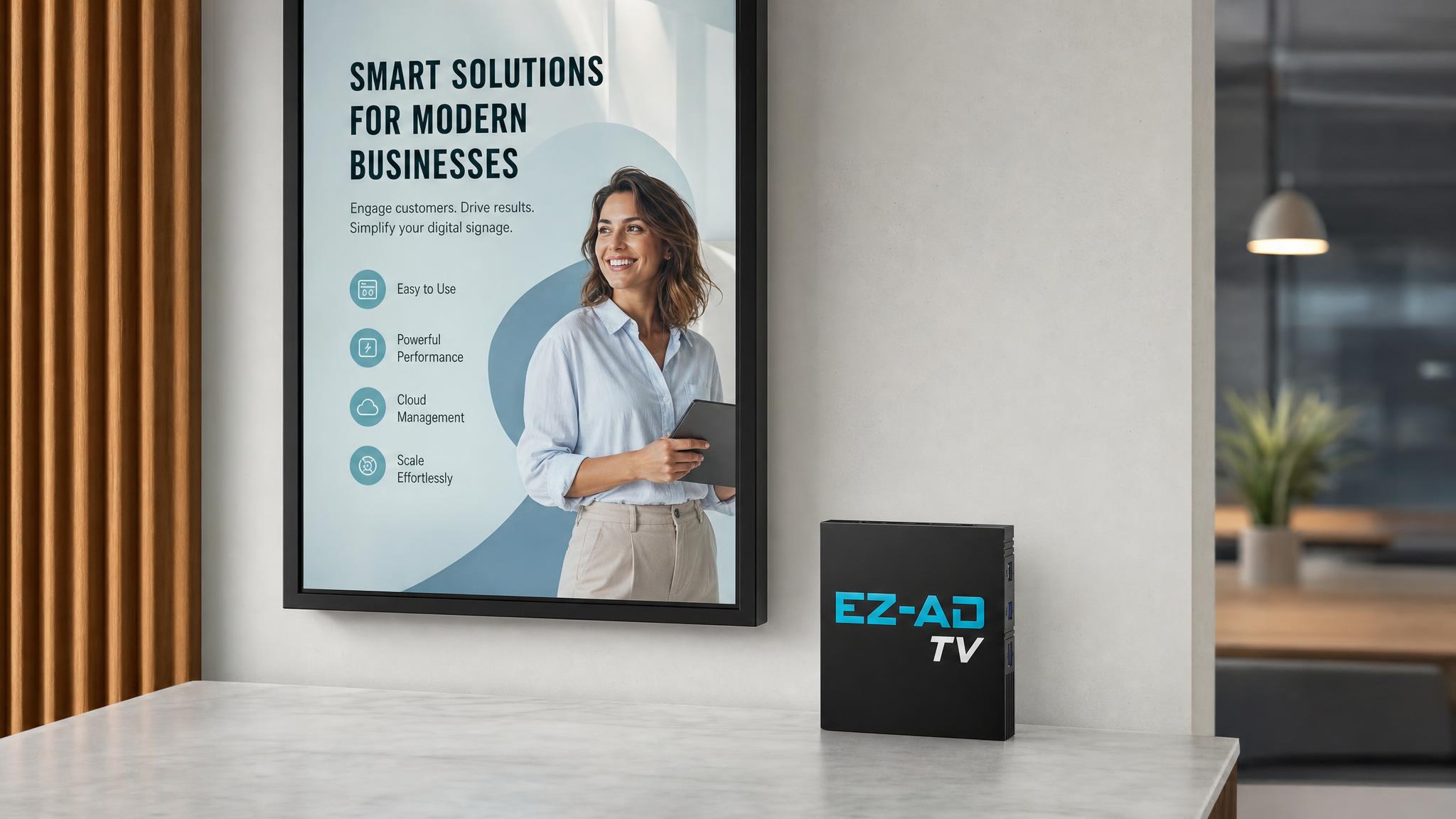
Our hardware is simple. We make two options. The first is the EZ-AD TV Box. It looks like a small black rectangle. It plugs into any TV via HDMI. It connects to your Wi-Fi or ethernet and starts playing your content. The second option is the EZ-AD TV Stick. It is even smaller. It looks like a large USB drive. It plugs directly into the HDMI port on your TV. No external power brick required if your TV has a powered HDMI port. Both devices run the same software. You pick the one that fits your setup best.
We use reliable components. We do not cut corners on the processor or the storage memory. You need something that can handle a long day of continuous playback without overheating or freezing. We tested our units for over 2000 hours of continuous use in a lab environment. They stayed cool. They stayed stable. They just kept showing the content. That is what you need from a device that is going to be in the corner of your shop or your office for years at a time.
There is a reason we offer two sizes. Sometimes the TV is in a tight space. Maybe it is mounted high up on a wall. A bulky box with a long cable can look ugly and get in the way. The stick solves that. It sits right in the port. Clean. Minimal. Invisible. If you have a powered HDMI port the stick runs off the TVs power. No extra outlet needed. That solves a lot of installation headaches. We have seen too many people give up on a project because they could not find a power outlet near the TV.
Software That Does Not Need a Manual
The software runs on ezadtv.com. You log in from any browser. You drag and drop your content. You set a schedule. You hit publish. That is it. No coding. No complex timelines. No confusing menus. We also have a mobile app for when you are on the go. Maybe you are standing in front of the TV and you want to change the message right now. You open the app and you do it from your phone. It takes less than ten seconds.
Most people think digital signage is about high end video production. It is not. It is about information. A sign that says Coffee is $2 is more useful than a blurry video of a man drinking coffee. We make it easy to create simple, clear, readable content. You can use your own images. You can use stock photos. You can just type text. The layout tools are intuitive. You move boxes around. You change colors. You preview it on your phone before you push it to the screen. If it looks good on your phone it will look good on the big screen.
We have a stat that really bothers me. Over 60% of small businesses that try digital signage for the first time abandon it within the first year. Not because it does not work. But because it is too hard to manage. They get busy. They have orders to fill. They have customers to serve. They do not have time to learn a complex interface. They just want to put up a sign and forget about it. Our platform is designed for that exact mindset. Set it and forget it. Change it when you need to. Do not make it a daily chore.
I remember when we were testing the beta version of our app. One of our engineers kept complaining that the drag and drop feature was too fast. He said it was annoying because things snapped into place too quickly. We slowed it down. Then we tested it with non technical users. They loved it. They said it felt smooth. The engineer thought it was a flaw. The users thought it was a feature. That tells you a lot about who we build for. We build for the person who is not an engineer. We build for the person who just wants the screen to work.
Why Simplicity Wins
Complexity is the enemy of adoption. If a tool is hard to use people will not use it. They will buy something else. Or they will not buy anything at all. We have seen the market shift. People are tired of subscriptions that stack up. They are tired of integrations that break. They are tired of support tickets that take five business days to answer. We answer support emails within four hours. Usually much faster. We have a real team of humans who read the messages and reply. No bots. No automated responses that tell you to check the knowledge base. We actually help you fix the problem.
Our pricing is straightforward. You pay for the hardware once. You pay a small monthly fee for the software platform. No hidden fees. No setup fees. No annual contract locks. You can cancel anytime. If you use the box for a year and then decide you do not need it anymore you can sell it or keep it. The hardware is yours. The software account can be paused. That flexibility is rare in this industry. Most vendors want you locked in for two or three years. We do not want to lock you in. We want to be good enough that you stay because you like it. Not because you are contractually obligated.
We think the future of digital signage is decentralized. It is not about one giant platform controlling everything. It is about local control. Small businesses should have the power to manage their own screens without needing a corporate IT department. We see a lot of independent restaurants and shops adopting this technology. They use it to promote daily specials. They use it to show health and safety reminders. They use it to display local community events. It keeps the shop feeling alive and updated. It is a small investment that makes a big difference in how the space feels.
Frequently Asked Questions
What is the difference between the Box and the Stick?
The Box requires an external power source and has more ports. The Stick runs off the TVs HDMI power and is more compact. Both run the same software and have the same features. Choose the Stick if you want a clean look and have a powered HDMI port. Choose the Box if you need extra connectivity or do not have a powered port.
Can I use my own content on the digital signage players?
Yes. You can upload your own images videos and text. You can create custom layouts using our drag and drop editor. You are not locked into using pre made templates. You have full control over what is shown on your screen. You can change it whenever you want from the web dashboard or the mobile app.
How do I manage multiple screens with one account?
You can add multiple devices to one account. You can group them into zones. You can send different content to different zones. Or you can send the same content to all screens at once. The scheduling is done once and applied to all devices in the group. It saves a lot of time if you have more than one screen in your location.
Frequently Asked Questions
What is the difference between the Box and the Stick?
The Box requires external power and has more ports. The Stick runs off the TVs HDMI power and is smaller. Both use the same software.
Can I use my own content on the digital signage players?
Yes. You can upload your own images and videos. You can create custom layouts with our editor. You have full control over the content shown.
How do I manage multiple screens with one account?
You can add multiple devices to one account. Group them into zones and send content to specific zones or all screens at once.